
- Author
- Editorial Team
- Published
- Reading time
- 2 min read
A Mil Win withdrawal completed but money not received problem is different from a withdrawal that is still pending.
If the platform says the withdrawal is complete but your Easypaisa, JazzCash, or bank account does not show the money, you need to compare information from both sides.
Check the Withdrawal Status
Open the Mil Win wallet or transaction history.
Confirm whether the withdrawal says:
- pending;
- processing;
- approved;
- completed;
- failed;
- rejected.
Only treat it as a completed-payment issue if the account actually displays a completed status.
Open the cash-out and payout guide →
Confirm the Receiving Number
Check the payment number or bank details entered during the withdrawal request.
A small typing mistake can direct the transaction incorrectly or cause the payment to fail.
Review:
- wallet number;
- bank account;
- payment method;
- account name where applicable.
Check Your Easypaisa or JazzCash History
Do not rely only on an SMS notification.
Open the payment application and check the full transaction history.
Notifications can sometimes be delayed even when the account balance has changed.
Look for a Transaction Reference
If Mil Win provides a withdrawal or payment reference, save it.
This information can help support or the receiving payment provider investigate the transfer.
Record:
- withdrawal ID;
- amount;
- date and time;
- selected method;
- status.
Allow for Payment Network Delays
A completed status on one system does not always mean the receiving provider updates at exactly the same second.
Short delays may happen because different services process transactions separately.
However, avoid relying on fixed processing-time promises unless the current platform provides them.
Contact Mil Win Support
If the receiving account remains unchanged, contact the current verified support channel.
Give them:
- account ID;
- withdrawal amount;
- withdrawal reference;
- date and time;
- receiving method.
Ask for the payment transaction reference if one is available.
Never send your password or OTP.
Contact the Payment Provider
If the gaming platform gives you a valid transfer reference but the funds are missing, the receiving payment provider may also need to investigate.
Use the official support channel of Easypaisa, JazzCash, or your bank.
Read the Mil Win deposit guide →
Avoid Paying an Unlock Fee
A major warning sign is someone privately asking for extra money to release an already completed withdrawal.
Be cautious if a person asks for:
- tax paid to a personal number;
- account-upgrade payment;
- release fee;
- verification deposit;
- OTP;
- password.
Do not transfer more money simply because someone promises to unlock the withdrawal.
Withdrawal Pending vs Completed
These two problems require different checks.
Pending
The platform has not finished processing the request.
Completed
The platform claims processing is finished, so the focus shifts to transaction reference and receiving account details.
Understanding this difference helps you contact the correct support team.
Keep Evidence
Save screenshots of:
- withdrawal status;
- transaction number;
- receiving wallet history;
- support conversation.
Hide sensitive information before sharing screenshots publicly.
Conclusion
When a Mil Win withdrawal shows completed but money has not been received, verify the receiving details and transaction history first.
Collect the withdrawal reference and contact verified support if needed. Never share OTP codes or pay an unknown person to release money that should already have been processed.
Frequently Asked Questions
Mil Win says my withdrawal is completed but I have not received the money. What should I check?
Verify the receiving details and transaction history first, then collect the withdrawal reference and contact verified support if needed.
What is the difference between a pending and a completed withdrawal?
Pending means the platform has not finished processing the request. Completed means processing is finished, so the focus shifts to the transaction reference and receiving account details.
Should I pay a fee to release my withdrawal?
No. Do not transfer more money simply because someone promises to unlock the withdrawal, and never share your OTP or password.
Related reading
- Payments
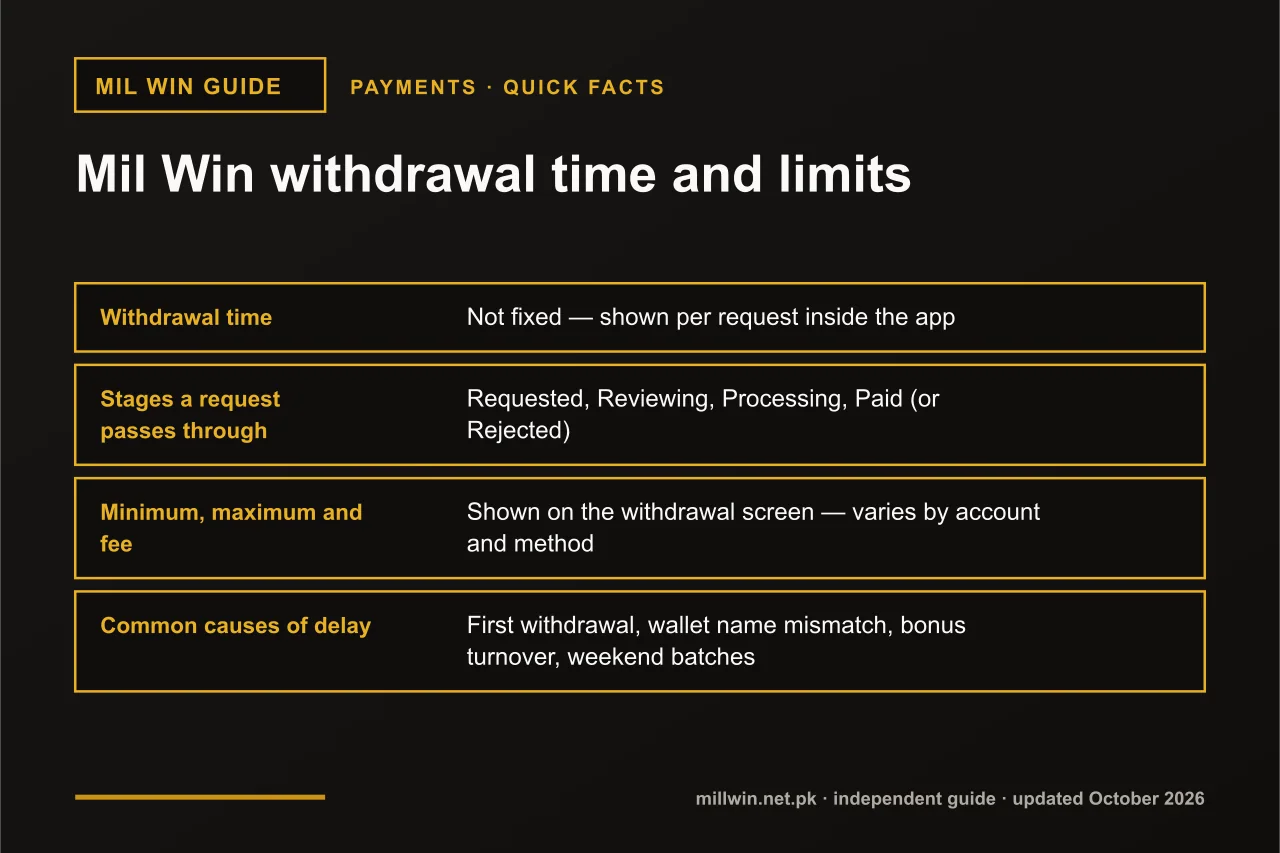 Mil Win Withdrawal Time and Limits: How Long It Takes and How Much You Can Take Out
Payments · 10 min read
Mil Win Withdrawal Time and Limits: How Long It Takes and How Much You Can Take Out
- Payments
 Mil Win Deposit Successful but Balance Not Updated
Payments · 2 min read
Mil Win Deposit Successful but Balance Not Updated
- Payments
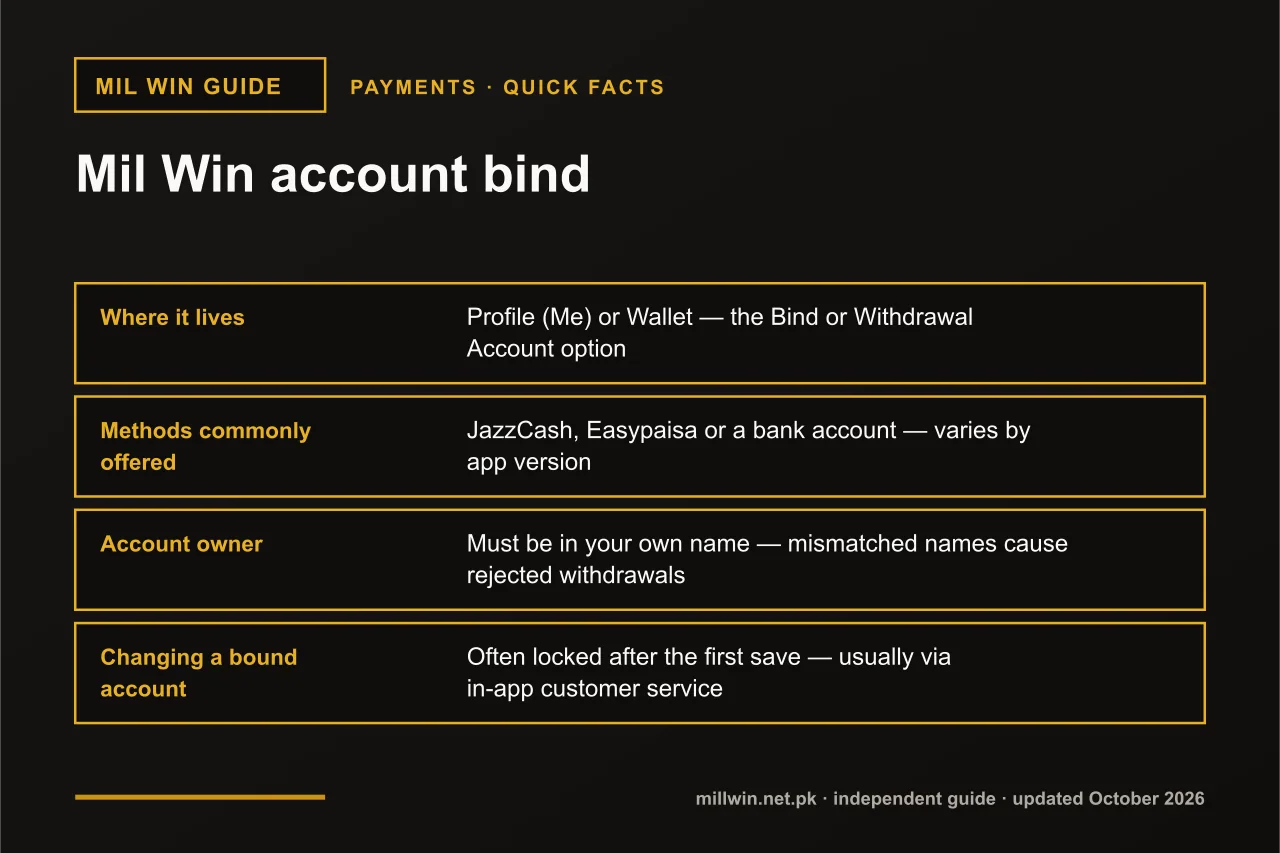 Mil Win Account Bind – How to Link JazzCash, Easypaisa or a Bank Safely
Payments · 8 min read
Mil Win Account Bind – How to Link JazzCash, Easypaisa or a Bank Safely